Configuring the Entry\Exit Delay Timers on the CHeKT VCP

Configuring the Entry\Exit Delay Timers on the CHeKT VCP


InfoThe CHeKT Video Control Panel (VCP) supports nine zone types.  These zone types operate like zones on standard alarm panels.
NotesLearn about zone types in our CHeKT Video Control Panel Zone Types & Setup Guide article.

Configuring VCP Entry & Exit Delays

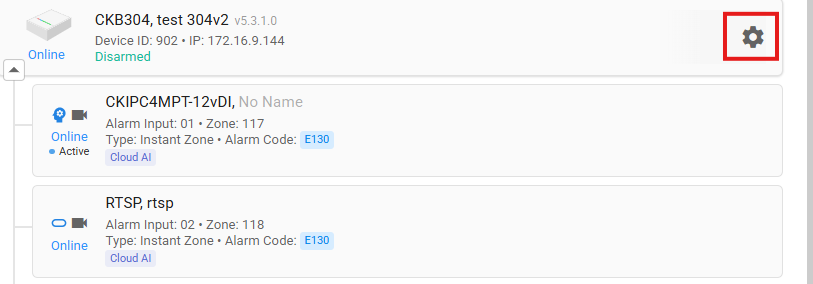
  1. Go to the VCP Settings Menu by clicking the gear icon.


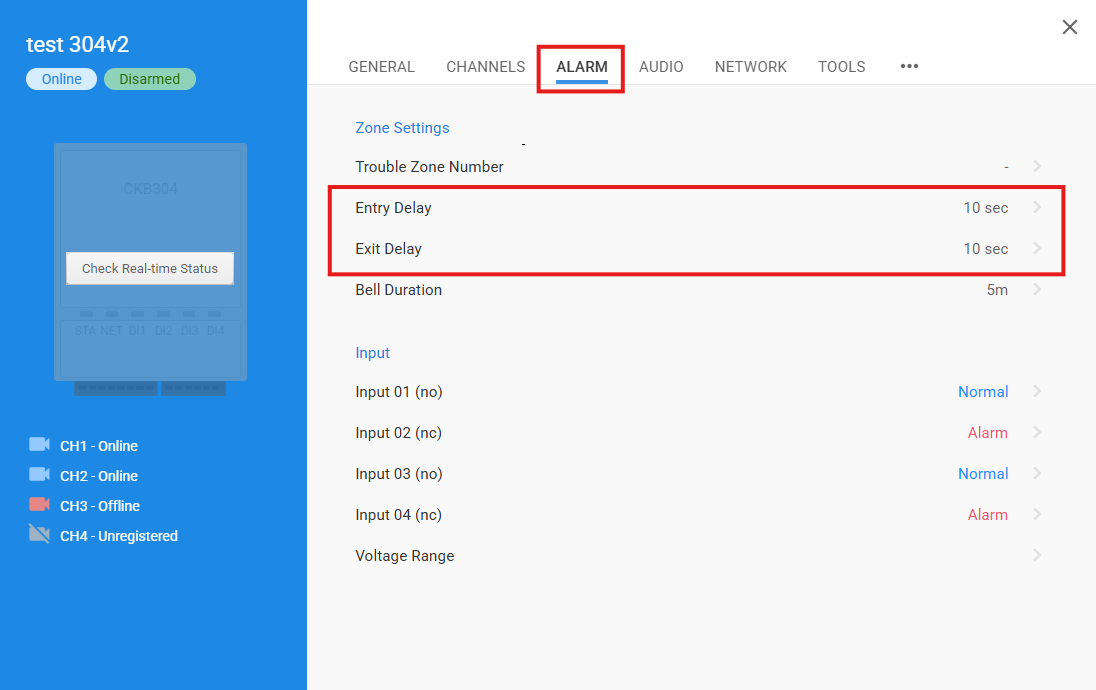
  2. Select the "Alarm" Tab and click Entry or Exit Delay to adjust the time as needed. 


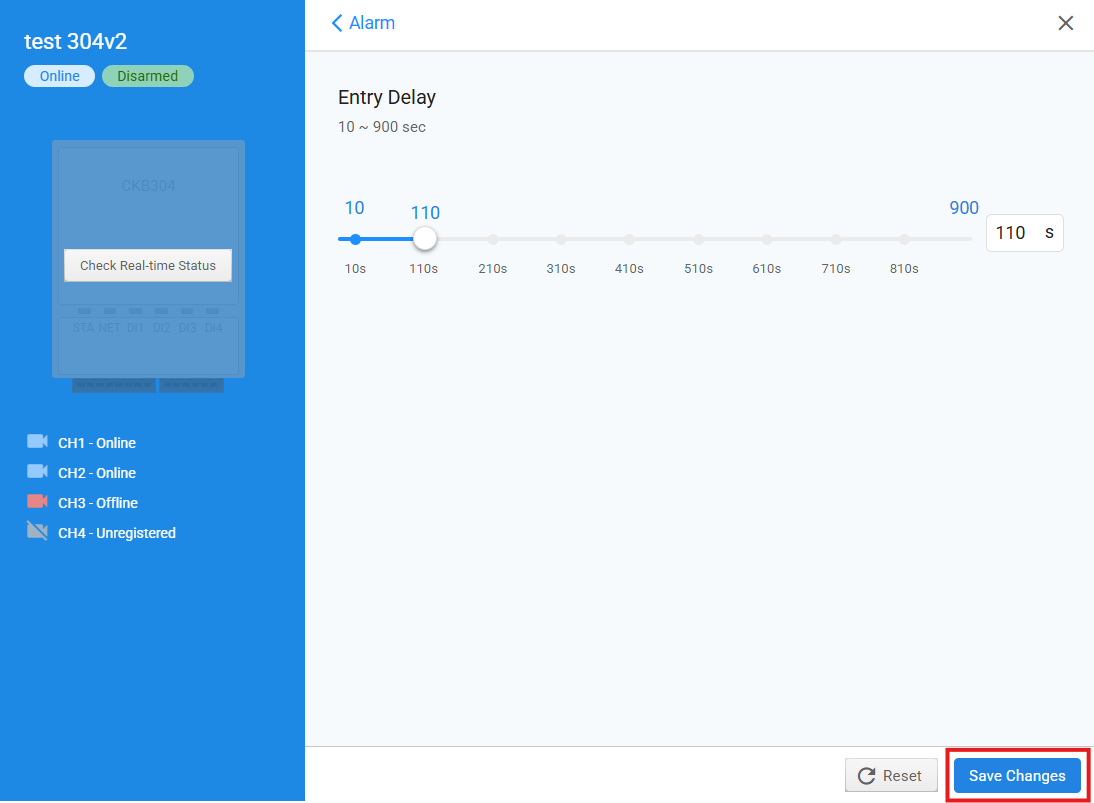
  3. Adjust the setting by clicking and dragging the slider or by entering the desired value in the available field (up to 900 seconds), then click Save Changes to apply the update.

    • Related Articles

    • CHeKT Video Control Panel Zone Types & Setup Guide

      The CHeKT Video Control Panel Supports Nine Zone Types These zone types operate similarly to zone types found on standard alarm panels. Entry/Exit Zone (Alarm Code: E134 | Restore Code: R134) This zone applies an Entry/Exit delay to triggers. ...
    • CHeKT AI Cameras Analytics Manual

      The latest licenced plug-in is a set of analytical tools loaded on our cameras that provides the means to perform advanced analytics, reduce false alerts and customize when events occur. This article will describe how to enable and configure the ...
    • VCP "Bridge" Firmware Version Release Notes

      Below are the release notes for the CHeKT Video Control Panel Firmware versions. Video Control Panel (VCP) "Bridge" Firmware 6.0.0/6.0.0.1 Build 1 - Release Date 5/26/26 (Bug Fixes / Improvements) Previous Versions: Bridge Firmware 5.2.0 Build 1 - ...
    • CHeKT Partitioning

      What is CHeKT Partitioning? Prerequisites for enabling partitions on existing sites: Note: All new sites have partitions enabled automatically 1. Confirm all VCPs (Video Control Panels) are running firmware 6 or higher 2. Verify the site is in a ...
    • Automation Rules - CHeKT Support

      CHeKT is proud to announce the public release of the Automation Rules. When this function is enabled, the integrator is granted access to a wide range of new site-level functions that can create a unique, custom experience for their client. Need the ...